
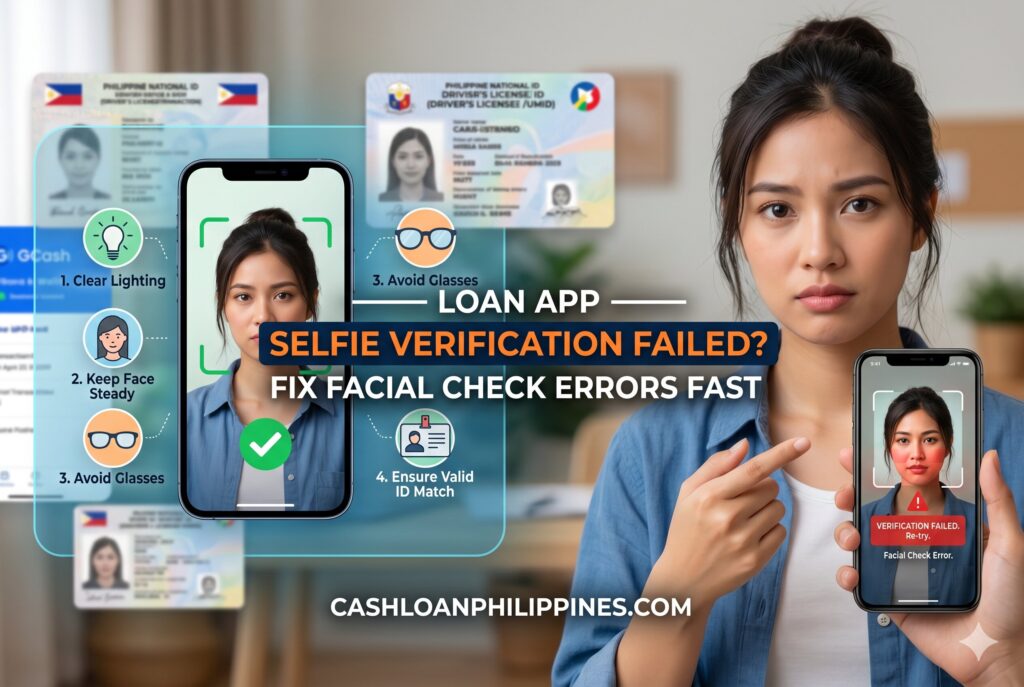
Applying for a digital loan in the Philippines often stops at one frustrating step: selfie verification. Many borrowers upload valid IDs, complete their details correctly, then suddenly receive “Face verification failed,” “Unable to detect liveness,” or repeated verification errors. These failures usually come from biometric mismatch scoring, camera problems, poor lighting, Android permission conflicts, or fraud-prevention triggers inside facial recognition AI systems.
Summary:
If your loan app selfie verification failed Philippines issue keeps happening, the problem is usually linked to lighting conditions, front camera quality, liveness detection errors, facial appearance changes, weak internet, or device compatibility. Philippine loan apps use biometric matching and anti-spoofing systems to compare your selfie with your government ID. To pass facial verification successfully, use natural lighting, remove glasses or heavy filters, clean the camera lens, allow Android camera permissions, stabilize your phone, and retry using a higher-quality device if necessary. Borrowers using low-end Android phones or damaged front cameras experience higher rejection rates because facial recognition AI needs sharp facial details for identity verification and fraud prevention.
Why Philippine Loan Apps Use Selfie Verification
Digital lenders in the Philippines rely heavily on facial verification because onboarding is remote. Most BSP-aligned fintech companies now integrate biometric identity checks during Know Your Customer (KYC) procedures to reduce fraud, identity theft, fake accounts, and synthetic identities.
Modern lending apps typically combine:
- Government ID scanning
- Facial recognition AI
- Liveness detection
- Device fingerprinting
- Behavioral fraud analysis
- GPS and SIM consistency checks
This process helps lenders determine whether:
- The applicant is a real person
- The selfie matches the ID
- The user is physically present during verification
- The device behavior appears suspicious
Unlike older manual review systems, today’s automated onboarding can reject applications within seconds if the biometric confidence score falls below the lender’s threshold.
That is why many users search for answers after receiving facial mismatch errors even when they already uploaded legitimate documents from the list of accepted IDs for loan apps.
What “Selfie Verification Failed” Actually Means
A failed selfie verification does not always mean fraud. In most Philippine lending apps, the system simply cannot establish a high-confidence facial match.
Common Error Messages Borrowers See
- “Unable to verify identity”
- “Face mismatch detected”
- “Liveness check failed”
- “Verification timeout”
- “Please retake selfie”
- “Biometric validation unsuccessful”
- “Face not detected”
Different apps use different verification vendors, but most systems follow similar biometric matching logic.
How Facial Recognition AI Evaluates Applicants
The software analyzes multiple facial markers, including:
- Eye spacing
- Jawline shape
- Nose structure
- Facial proportions
- Head angle
- Skin texture
- Blink movement
- Motion response
The app compares these facial points against the ID photo uploaded during application.
If lighting, camera blur, or appearance changes reduce confidence scoring, the application may fail automatically.
The Most Common Reasons Selfie Verification Fails 📷
Poor Lighting Conditions Reduce Match Accuracy
Lighting is one of the biggest causes of failed facial checks.
Facial recognition AI performs best when:
- The face is evenly lit
- Shadows are minimal
- Skin details are visible
- The background is neutral
Bad lighting creates artificial contours that confuse biometric matching systems.
Lighting Mistakes That Trigger Rejections
Avoid:
- Backlighting from windows
- Extremely dim rooms
- Colored LED lighting
- Strong overhead shadows
- Flash glare
- Direct sunlight on one side of the face
The safest setup is natural daylight facing your face directly.

Proper Lighting Setup for Loan App Facial Verification
Low-End Android Front Cameras Cause Detection Problems
Many Filipino borrowers use budget Android devices. Unfortunately, low-resolution front cameras often struggle with facial verification systems.
Common camera-related issues include:
- Soft focus
- Motion blur
- Poor low-light processing
- Low megapixel output
- Lens scratches
- Facial distortion from cheap wide-angle lenses
Some fintech apps optimize better for newer devices, while older Android phones may fail repeatedly even when the borrower follows instructions correctly.
Dirty or Damaged Front Cameras
A scratched selfie camera can interfere with:
- Eye detection
- Depth estimation
- Facial edge mapping
- Liveness motion capture
Even fingerprints on the lens can lower image sharpness enough to fail biometric checks.
Before retrying:
- Clean the front camera with microfiber cloth
- Disable beauty filters
- Restart the phone
- Retry in brighter lighting
Liveness Detection Problems Explained 👁️
What Is Liveness Detection?
Liveness detection is an anti-spoofing system designed to confirm that:
- You are physically present
- You are not using a printed photo
- You are not replaying a video
- You are not using deepfake manipulation
Many Philippine loan apps now require users to:
- Blink
- Turn their head
- Smile
- Nod
- Follow moving dots on screen
These actions help the system detect real-time human movement.
Why Anti-Spoofing Systems Reject Real Users
False rejections happen more often than borrowers realize.
The app may reject you if:
- Your face leaves the frame
- Internet lag interrupts motion capture
- The app freezes during detection
- Your phone struggles with real-time processing
- Lighting changes during movement
Holding the phone too close can also distort facial geometry.
How to Improve Liveness Detection Success
For higher success rates:
- Hold the phone at eye level
- Keep the face centered
- Avoid fast head movement
- Stay still until instructed
- Use stable internet
- Remove face masks and hats
Borrowers who rush through the process often trigger fraud-prevention flags unintentionally.
Appearance Changes That Trigger Facial Mismatch
Haircuts, Glasses, and Makeup Matter More Than You Think
Biometric systems compare facial landmarks from your ID photo against your current appearance.
Large appearance differences can reduce confidence scoring.
Common mismatch triggers include:
- New eyeglasses
- Colored contact lenses
- Heavy makeup
- Facial swelling
- Beard growth
- Major haircut changes
- Face masks
- Cosmetic procedures
This becomes especially problematic when ID photos are several years old.
Should You Remove Glasses During Verification?
Usually yes.
Glasses can:
- Reflect light
- Hide eye contours
- Block facial landmarks
Many loan apps specifically instruct users to remove glasses before taking selfies.
Makeup and Beauty Filters Can Affect Recognition
Strong beauty filters smooth facial textures and alter proportions.
Facial recognition AI may interpret:
- Artificial skin smoothing
- Enlarged eyes
- Altered jawlines
- Brightness manipulation
as potential spoofing behavior.
Disable:
- TikTok filters
- Camera beauty mode
- Third-party camera apps
- AI retouch settings
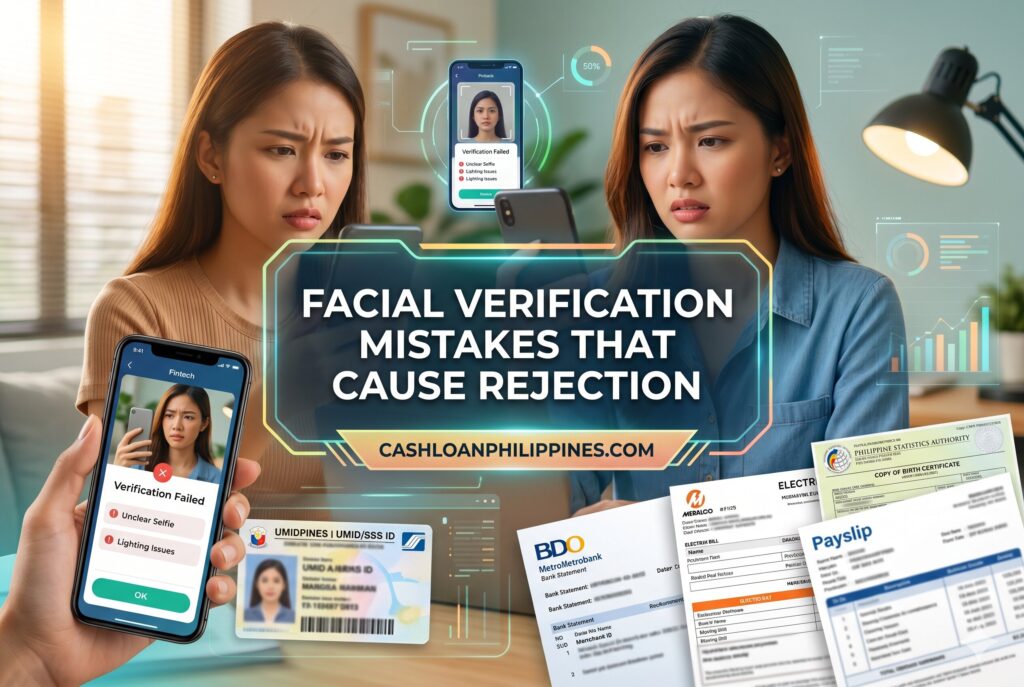
Facial Verification Mistakes That Cause Rejection
Android Permission Problems That Block Verification
Camera Permissions Often Break Facial Checks
Many failed verifications happen because the app lacks proper Android permissions.
Check these settings:
- Camera access
- Storage access
- Microphone access
- Motion permissions
- Battery optimization exceptions
Some Android systems silently restrict camera functionality in the background.
How to Fix Android Permission Errors
On Android:
- Open Settings
- Go to Apps
- Select the loan app
- Tap Permissions
- Allow Camera and Storage
- Disable battery restrictions
Then restart the app completely.
Older Android Versions May Be Incompatible
Some facial verification SDKs no longer support outdated Android versions efficiently.
Users on very old devices may experience:
- Frozen verification screens
- Black camera preview
- Upload failures
- Crashes during liveness detection
If possible, retry using:
- A newer phone
- Better internet connection
- Updated operating system
Internet and Upload Problems During Facial Verification 🌐
Weak Mobile Data Interrupts Biometric Uploads
Facial verification is not just image capture. The app also uploads encrypted biometric data to verification servers.
Slow internet can cause:
- Partial uploads
- Verification timeouts
- Session expiration
- Corrupted image transfers
This is common in areas with unstable mobile signal coverage.
Best Internet Setup for Verification
For smoother processing:
- Use stable Wi-Fi if available
- Avoid switching networks mid-process
- Close background downloads
- Disable VPN apps temporarily
Some fraud systems flag VPN usage as suspicious because it masks device location.
Why Repeated Retries Can Trigger Fraud Flags 🚨
Too Many Failed Attempts Increase Risk Scores
Loan apps monitor behavioral patterns during onboarding.
Repeated failures may increase internal fraud-risk scoring.
Systems may interpret:
- Multiple retries
- Rapid selfie submissions
- Different devices
- Different locations
- Inconsistent lighting
as suspicious behavior.
How Many Retries Are Usually Allowed?
Policies vary by lender.
Common industry patterns:
- 3 to 5 automated attempts
- Temporary cooldown period
- Manual review escalation
- Account lock after excessive retries
If you continuously fail, forcing retries immediately may worsen the situation.
What To Do After Multiple Failures
Instead of retrying endlessly:
- Wait several hours
- Improve lighting setup
- Use a different phone
- Recheck ID quality
- Contact customer support if available
This approach reduces behavioral fraud triggers.
Quick Fix Checklist: Pass Facial Verification Faster ✅
Before Taking the Selfie
- Clean the front camera
- Use natural daylight
- Remove glasses and hats
- Disable beauty filters
- Use plain background
- Hold phone steady
- Ensure stable internet
- Allow app permissions
During Verification
- Keep face centered
- Follow movement instructions slowly
- Avoid exaggerated expressions
- Do not move too close to the camera
- Keep both eyes visible
After Failure
- Restart app
- Retry in brighter environment
- Use another device if possible
- Avoid repeated rapid attempts
Why Some Borrowers Fail Even With Valid IDs
Many users assume facial verification only depends on ID validity. In reality, biometric onboarding evaluates both:
- Document authenticity
- Live facial consistency
A borrower may possess fully legitimate identification yet still fail because:
- The ID photo is blurry
- The face changed significantly
- Camera quality is poor
- The selfie is overexposed
This is also why many applicants researching why applications are denied encounter biometric verification issues even before income review begins.
Facial Verification on Low-End Phones vs Premium Devices
| Factor | Low-End Android | Premium Smartphone |
|---|---|---|
| Front camera clarity | Lower | Higher |
| Low-light performance | Weak | Strong |
| Motion processing | Slower | Faster |
| Facial edge detection | Less accurate | More precise |
| Liveness stability | Less reliable | More stable |
Budget phones are not automatically rejected, but they create more verification friction.
Borrowers applying late at night using dim indoor lighting on entry-level phones experience significantly higher failure rates in real-world fintech onboarding behavior.
When Verification Problems Indicate Device Compatibility Issues
Some Apps Are Optimized for Specific Devices
Certain fintech SDKs perform better on:
- Updated Android versions
- Mid-range or flagship devices
- Phones with better AI imaging support
This explains why users sometimes pass instantly after switching phones.
Borrowers With Damaged Cameras Face Higher Rejection Rates
A cracked selfie camera may:
- Distort facial geometry
- Interfere with autofocus
- Reduce depth analysis
If your front camera is physically damaged, borrowing another trusted device temporarily may solve the issue faster than repeated retries.
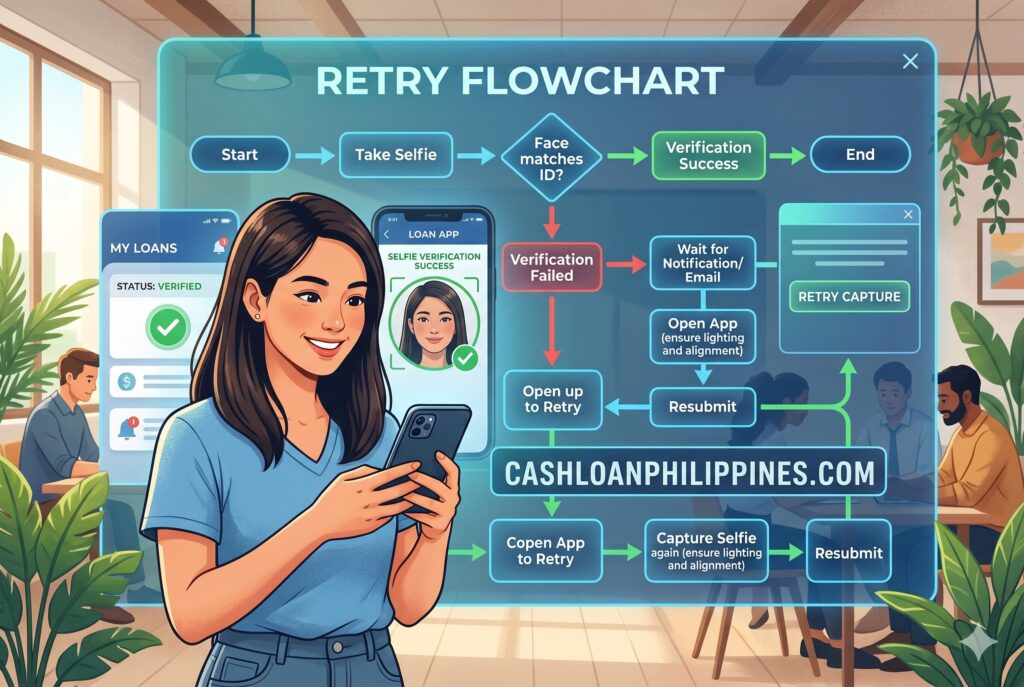
Loan App Selfie Verification Retry Flowchart
What Philippine Fintech Apps Look for During Identity Verification
Most lenders are not simply checking whether a face exists.
The system evaluates:
- Biometric similarity score
- Device trust signals
- Session authenticity
- Fraud indicators
- Environmental consistency
Modern fraud prevention engines also analyze:
- Typing patterns
- Device changes
- Emulator detection
- GPS mismatches
- Rooted phone indicators
This explains why some users with technically correct selfies still experience onboarding friction.
These checks are now part of broader loan app requirements explained across the Philippine digital lending ecosystem.
Frequently Asked Questions
Why does selfie verification keep failing?
The most common causes are poor lighting, low-quality front cameras, facial appearance differences, unstable internet, or failed liveness detection during biometric checks.
Can poor lighting cause rejection?
Yes. Shadows, dim rooms, and backlighting reduce facial recognition accuracy and may prevent the system from matching your selfie with your ID photo.
Does makeup or glasses affect verification?
Heavy makeup, reflective glasses, beauty filters, and facial accessories can interfere with facial landmark detection and lower biometric confidence scores.
How many retries are allowed?
Most loan apps allow several attempts before temporary lockouts or manual review triggers occur. Excessive rapid retries may increase fraud-risk scoring.
Can I use another phone for verification?
Usually yes. Many borrowers successfully complete verification on devices with better front cameras and more stable performance.
Why does the app freeze during liveness detection?
This often happens due to:
- Weak processors
- Outdated Android versions
- Low RAM
- Internet interruptions
- App compatibility issues
Restarting the app or switching devices often helps.
Practical Borrower Tips Before Reapplying
Before submitting another application:
- Update your ID if the photo is outdated
- Prepare proper lighting beforehand
- Avoid multitasking during onboarding
- Use stable internet
- Complete verification calmly and slowly
Borrowers who prepare the environment first typically experience fewer biometric failures compared to users rushing through the onboarding process.
Remember that facial verification systems are designed primarily for fraud prevention, not convenience. Even legitimate applicants may experience rejection if technical conditions reduce biometric confidence scoring.
Conclusion
Selfie verification failures in Philippine loan apps are usually caused by technical limitations, biometric mismatch scoring, poor lighting, camera quality issues, or anti-fraud systems reacting to inconsistent behavior. Most problems can be resolved by improving lighting conditions, removing facial obstructions, enabling Android permissions, using stable internet, and retrying on a better device when necessary.
Digital lenders increasingly rely on facial recognition AI and liveness detection to comply with modern KYC and fraud-prevention standards. That means borrowers need both valid documents and a technically clean verification environment.
Approach loan applications carefully, avoid repeated rushed retries, and focus on accurate identity submission rather than forcing approvals. Responsible borrowing starts with secure and trustworthy verification practices.
Last Updated on September 11, 2026 by Maria Santos
